
Marketing skills for Claude: the best ones and how to use them


TL;DR
Marketing skills for Claude are reusable instruction packs, written as Markdown files, that teach Claude or Claude Code how to do a specific marketing job: an SEO audit, ad-account review, a content brief, a cannibalization check. The popular open-source packs are good starting points, but most cram in more than you need. In six months of testing them, the approach that worked best was not installing more skills. It was duplicating one, stripping it down to a lean numbered workflow, and testing whether each cut changed the output. The skill most marketing stacks underrate is AEO: getting your brand cited inside ChatGPT, Perplexity, Gemini, and Google AI Overviews. A skill can draft that content, but it cannot see where AI actually mentions you. That part needs live data.
What marketing skills for Claude are
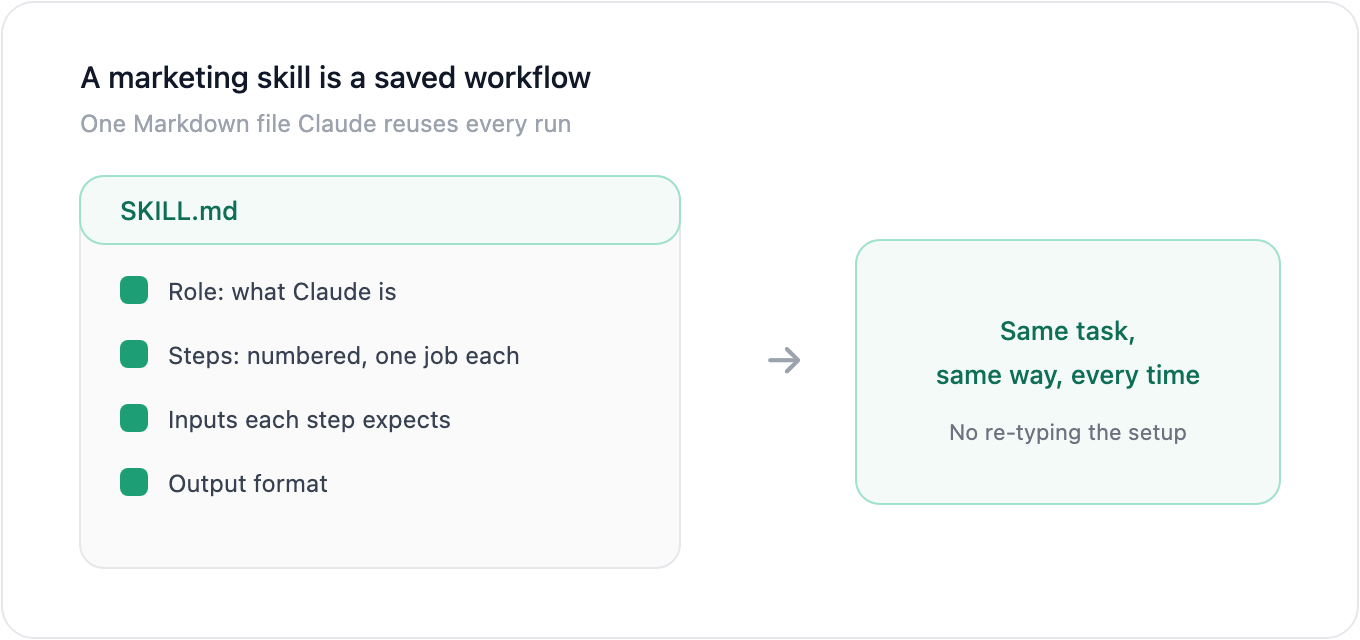
A marketing skill for Claude is a reusable instruction pack, stored as a Markdown file, that teaches Claude how to perform one marketing task the same way every time. Instead of re-explaining the job in a fresh prompt, you give Claude a skill that already contains the role, the steps, the inputs it expects, and the shape of the output. Claude reads the skill as context and runs the task.
That is the real difference between a skill and a prompt. A prompt is a one-off instruction you rewrite each session. A skill is a saved workflow Claude reuses, so the output stays consistent and you stop re-typing the same setup. Skills work in Claude Code, Claude Cowork, and other coding agents like Codex, and most are plain .md files plus an optional folder of references.
For marketing, that covers a wide range of jobs: technical SEO audits, backlink analysis, keyword cannibalization checks, ad-account reviews, conversion copywriting, content briefs, competitor teardowns, and analytics diagnosis. Each is its own skill, and you load the ones you need.
Is Claude good for marketing?
Claude is strong at the parts of marketing that are reasoning and language: auditing a page, drafting copy, structuring a content brief, spotting patterns in exported data, and explaining what a report means in plain English. With a good skill guiding it, it does that work faster and more consistently than prompting from scratch.
Where it stops is live data and execution. Claude does not know your current rankings, your real ad spend, or where AI engines mention your brand unless you connect a tool or feed it an export. It drafts and analyses; it does not pull your numbers on its own or change your campaigns for you. The honest read is that Claude plus a marketing skill replaces hours of manual analysis and first-draft work, not the data sources or the final decision.
The best marketing skills for Claude, by job
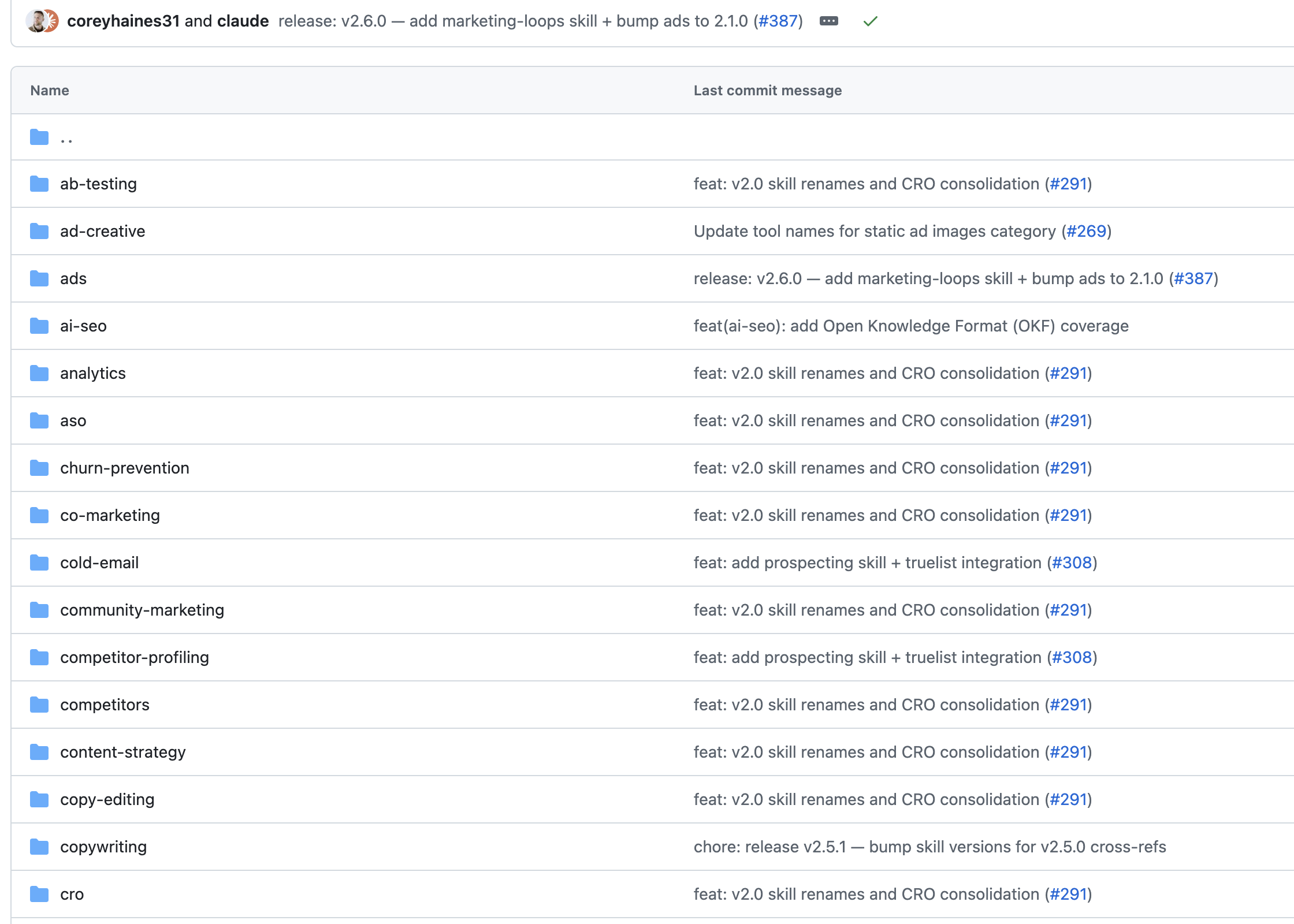
Most of the well-known marketing skills are open-source on GitHub. These are the genuinely popular ones, by star count, and the jobs they cover:
| Skill pack | Stars | Covers |
|---|---|---|
coreyhaines31/marketingskills | ~35,500 | CRO, copywriting, SEO, analytics, growth, psychology |
AgriciDaniel/claude-seo | ~10,200 | Technical SEO, AEO, backlinks, cannibalization clustering |
AgriciDaniel/claude-ads | ~6,600 | Paid-ads audit across Google, Meta, LinkedIn, TikTok |
ericosiu/ai-marketing-skills | ~2,700 | General marketing skill set for coding agents |
zubair-trabzada/ai-marketing-claude | ~2,000 | Competitive intelligence, brand and funnel analysis |
Star counts from GitHub, June 2026; they move quickly.
Grouped by the job you actually need:
- SEO and AEO: technical audits, schema, internal linking, keyword clustering, cannibalization checks, and getting cited by AI search.
- Paid ads: wasted-spend audits, creative-fatigue detection, account-structure review.
- Content: briefs, drafts, repurposing, and editing out AI-writing tells.
- Design and creative: landing-page generation, design systems, product video.
- Email and lifecycle: welcome flows, nurture sequences, winbacks.
- Analytics and CRO: GA4 diagnosis, conversion audits, experiment design.
The catch: each of these packs carries far more than most people use, and that is the problem the next two sections are about.
AEO is the marketing skill most stacks miss
Look closely at the popular packs and one category is thin: getting your brand cited inside AI answers. Most skills optimise for classic blue-link rankings, then add AEO as a single sub-skill almost as an afterthought. Search has already moved. People ask ChatGPT, Perplexity, Gemini, and Google AI Overviews instead of scrolling a list of links, and those answers name a few sources and skip the rest.
Answer engine optimization (AEO) is the work of becoming one of the sources AI names. A skill can do part of it: study the prompts you are losing, draft an answer-first article, add FAQ schema, tighten your entities. That is real and worth doing, and an AI content creation tool handles the drafting end well.
What a skill cannot do is see the live result. It cannot tell you which prompts already mention you, which competitor AI cites instead, or which exact pages an engine pulls from. That is a tracking job, not a writing job. AllSearch is built for it: an AI visibility tracker that scores how you show up across ChatGPT, Perplexity, Gemini, and Google AI Overviews, with source and citation tracking that shows the exact domains and URLs each engine cites. The skill writes the content; the tracker tells you whether it worked.
(Google AI Mode is newer and more educational in intent; AllSearch tracks it too, as a developing engine.)
How to install and use a marketing skill in Claude Code
Installing a skill is a copy-and-restart job, not a setup project. The exact path depends on your client, but for Claude Code the flow is:
- Find the skill. Browse the GitHub repos above and pick the one skill that matches your task, not the whole pack.
- Copy it into your skills directory. Clone the repo or drop the skill folder into your project's
.agents/skills/(or your client's skills path). A skill is usually aSKILL.mdplus an optionalreferences/folder. - Restart Claude Code or Cowork so the new skill is discovered.
- Connect data if the skill needs it. SEO and ads skills are far more useful with live data. Connect the relevant MCP server (for example Ahrefs, Search Console, or your ad accounts) so Claude can pull real numbers instead of working from a screenshot.
- Run it on a real task and read the output critically. This is where the next two sections come in.
What worked best for me: write your own lean workflow skill
I have used several of the popular packs over the last six months, including coreyhaines31/marketingskills, and they are a useful starting point. But the honest result of that testing is that installing more skills was not what helped. Writing my own simple one was.
The pattern I kept hitting: the skills I found online try to be over-comprehensive. Each one carries a lot of extra detail you do not really need for the task in front of you, and more detail is not always better. When a skill packs in too much at once, two things go wrong. The model gets distracted across too many instructions and loses focus on the job. And the one sentence that actually matters, often the SEO-critical instruction, gets buried under everything around it.
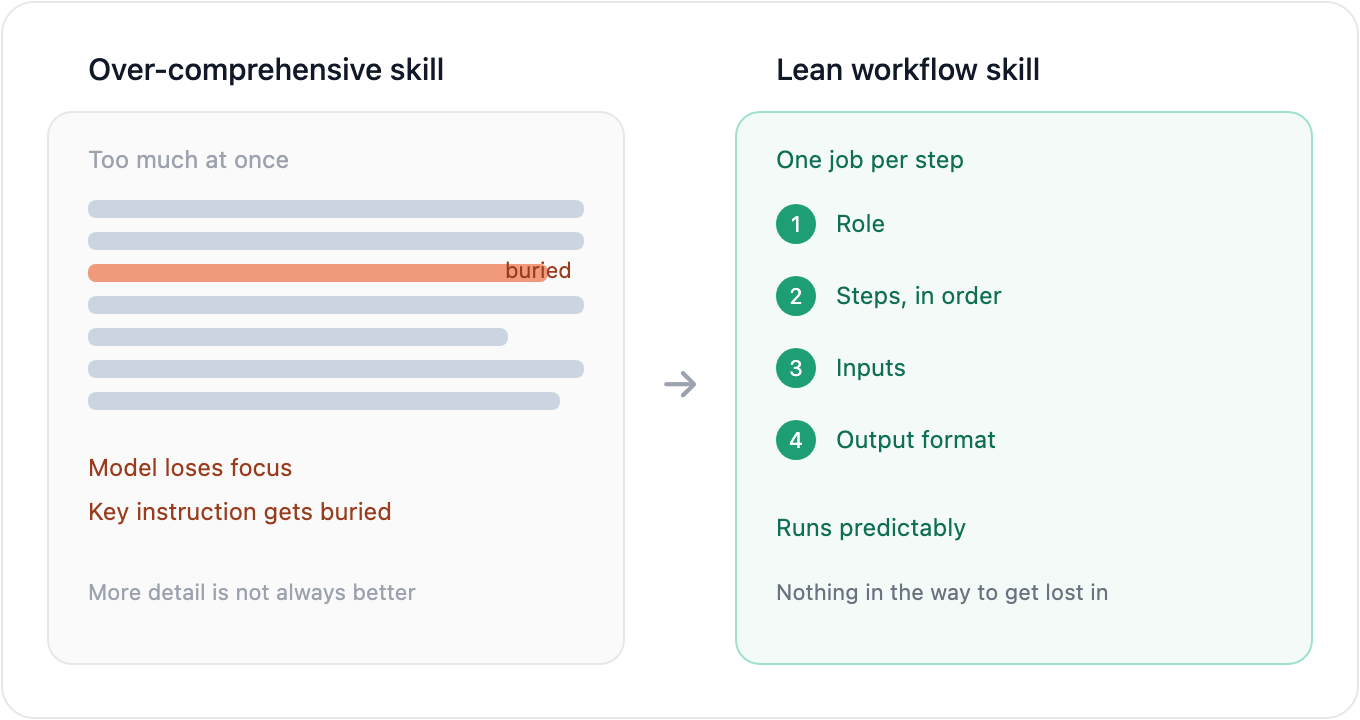
What worked better was treating the skill as a workflow rather than a manual. A lean skill with specific numbered steps, each step explaining one specific thing, performed more reliably than a long, exhaustive one. Think of it as a scaled-down sequence: step one does this, step two does that, and nothing else is in the way. Strip the workflow back to the steps that change the output, and Claude follows it more cleanly because there is less to get lost in.
A workflow-shaped skill, in practice, looks like:
- A short role line: what Claude is in this task.
- The numbered steps, in order, one job each.
- The exact inputs each step expects.
- The output format you want back.
That is it. No essays of background, no edge cases you will never hit. The lean version reads faster, runs more predictably, and is easier to fix when the output drifts.
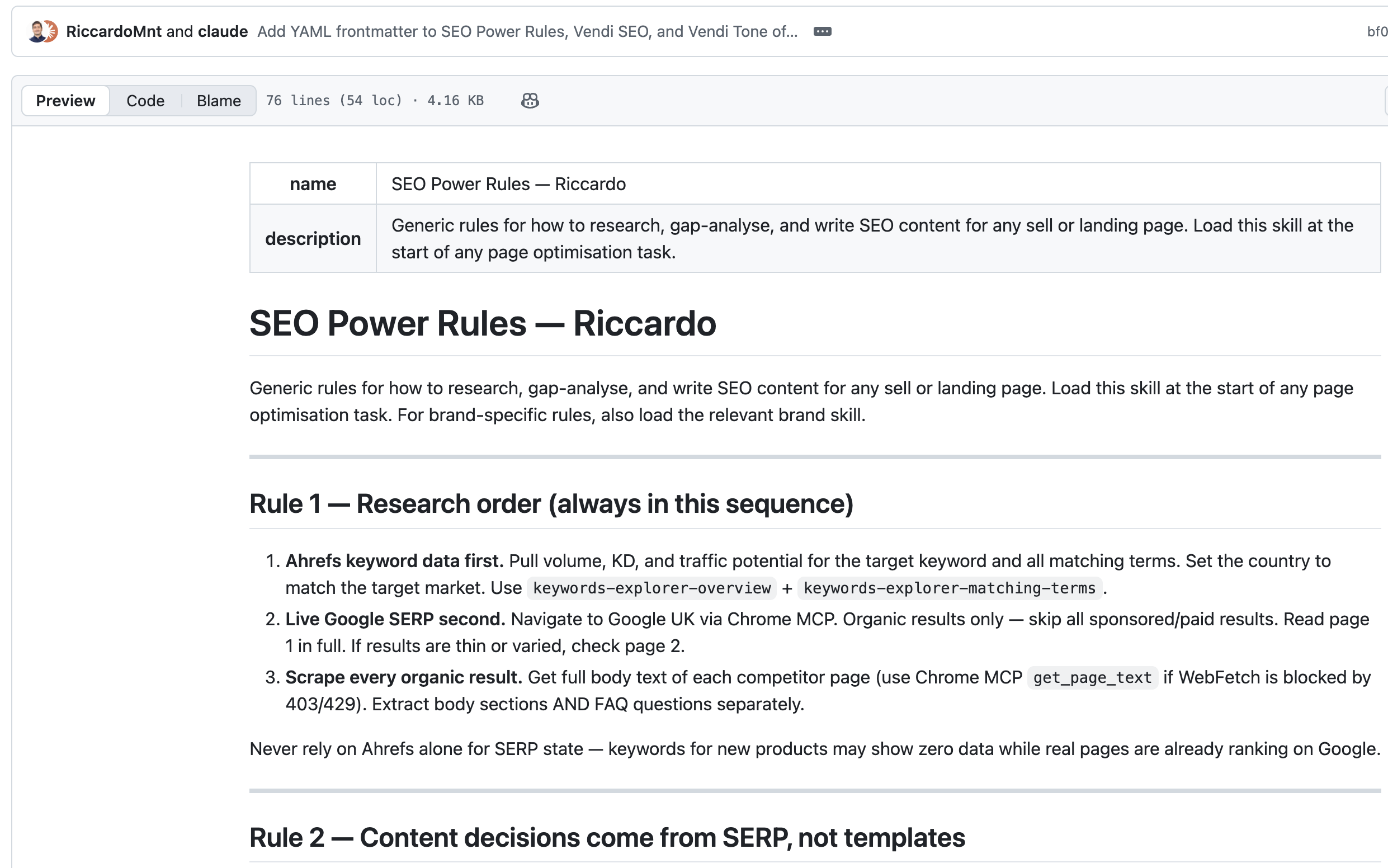
Here is my example. A lean SEO content-audit skill can be this short:
You are an SEO editor. Audit one page against its target keyword.
1. Pull the keyword's volume, difficulty, and top 10 SERP.
2. Scrape the ranking pages; list the H2s and FAQ questions they cover.
3. Compare against the target page; mark each topic GAP or MATCH.
4. Return a table (topic / GAP or MATCH / priority) and the 5 top fixes.
Inputs: the page URL, the target keyword, the country.
Output: one Markdown table and a 5-item fix list. Nothing else.
That is the whole skill. It has a role, four steps that each do one job, the inputs, and a strict output. You can build one like this for almost any repeatable marketing task: a keyword cannibalization check, a competitor teardown, a landing-page CRO pass. The pattern that made mine reliable was writing the steps as a fixed sequence and pinning the output format, the same shape the research and gap-analysis rules I work from use, where each rule owns one decision (research order, then gap analysis, then keyword scoping, then FAQ rules) instead of one long instruction trying to cover everything.
Building your own is not the hard, advanced option. It is usually the easier one, because you are encoding a workflow you already run in your head. A 30-file pack has to guess at everyone's process; your one file only has to match yours. Start by copying a skill that is close, cut it down to the steps you actually use, and you will often end up with something shorter, faster, and more accurate than the pack you started from.
Test before you trust: duplicate, strip, and compare
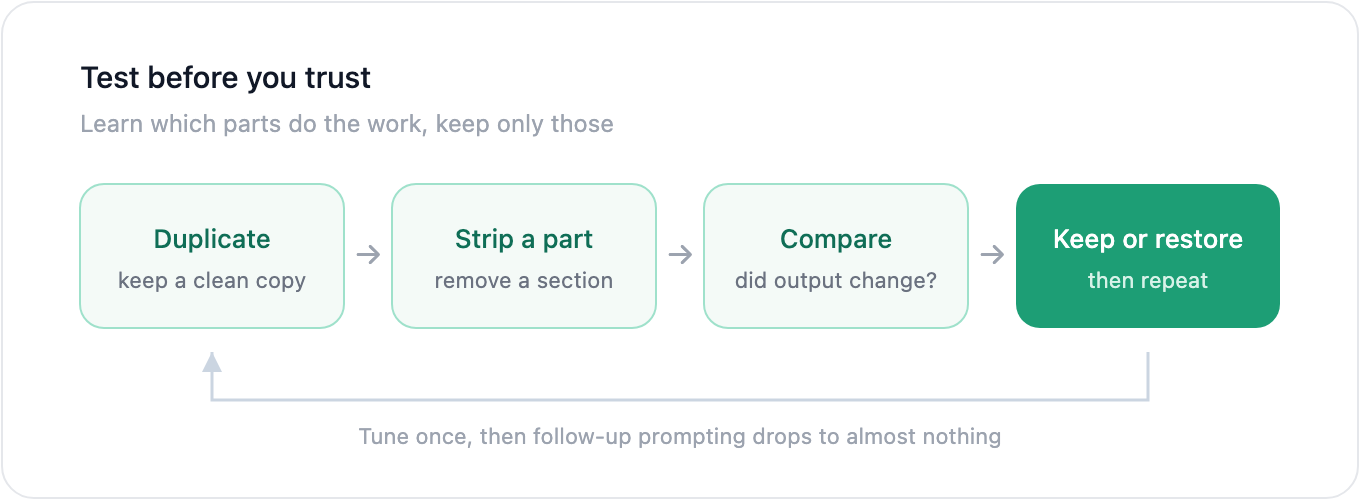
The method that made the biggest difference was testing skills instead of blind-using them. When you adopt a skill from GitHub, you do not actually know which parts are doing the work and which are filler. So find out.
Test before you trustLearn which parts do the work, keep only thoseDuplicate keep a clean copy Strip a part remove a section Compare did output change? Keep or restore then repeat→Tune once, then follow-up prompting drops to almost nothing.
The process is simple:
- Duplicate the skill so you keep a clean copy.
- Remove a part you suspect is unnecessary, a section, a paragraph of instruction, an extra rule.
- Run the same task on both versions and compare the output.
- Keep the cut if the output holds, restore it if quality drops. Adjust and repeat.
You learn exactly which instructions move the result and which are noise, rather than carrying the whole pack on faith. It costs you time up front, but it is time you were going to spend anyway, just spread across weeks of re-prompting.
That is the real payoff. If you blind-use a heavy skill, you end up prompting and re-prompting every session to nudge it toward the output you want, and that adds up fast. If you have done the heavy lifting once, tuning the workflow, the commands, and the output format until they are right, the follow-up prompting drops to almost nothing. A well-tested lean skill gets you to the result on the first run, because the work is already baked into the skill instead of repeated by hand each time.
Where skills stop and a data tool starts
A skill is instructions. It makes Claude better at a task, but it cannot supply facts Claude does not have. For most marketing work that boundary is clear: the skill audits, drafts, and structures, and a data source provides the truth it works from.
That boundary is sharpest with AI visibility. You can write the best AEO skill in the world, and it still cannot tell you whether ChatGPT names you, which sources Perplexity cites for your category, or how your visibility moved after you published. That is live measurement across AI engines, and no Markdown file can fake it. AllSearch fills that gap: it tracks your AI visibility across the engines, shows the prompts you win and lose, and turns the result into an AEO content strategy that updates with your real data. Pair a lean writing skill with a tracker that measures the outcome, and you have both halves of the loop.
You can see where your brand stands today and get a free AI visibility report in under 60 seconds, after a short setup.
FAQ
What are marketing skills in Claude?
Marketing skills for Claude are reusable instruction packs, stored as Markdown files, that teach Claude or Claude Code how to perform a specific marketing task such as an SEO audit, an ad-account review, a content brief, or a cannibalization check. Claude reads the skill as context and runs the task the same way each time, so you stop re-writing the same prompt.
Is Claude AI good for marketing?
Yes for the reasoning and language parts: auditing pages, drafting copy, structuring briefs, analysing exported data, and explaining reports. It is not a substitute for live data or execution. Claude does not know your rankings, ad spend, or where AI engines mention you unless you connect a tool or provide an export.
What are the best marketing skills for Claude?
The most popular open-source packs on GitHub are coreyhaines31/marketingskills (CRO, copywriting, SEO, analytics), AgriciDaniel/claude-seo (technical SEO, AEO, backlinks, clustering), and AgriciDaniel/claude-ads (paid-ads audits). They are good starting points, but most carry more than you need. Pick the single skill that matches your task rather than installing the whole pack.
How do I install a marketing skill in Claude Code?
Clone the skill repo or copy its folder into your skills directory (a SKILL.md plus an optional references folder), then restart Claude Code so it is discovered. Connect a data source through MCP if the skill needs live numbers, then run it on a real task.
Are Claude marketing skills free?
Most are. The popular skill packs are open-source on GitHub at no cost. You still need a Claude subscription to run them, and some skills rely on paid data connections (for example an Ahrefs or ad-platform MCP) to work with live data.
Can Claude marketing skills get my brand cited by AI search?
A skill can draft answer-first, well-structured content that is more likely to be cited, which is a real part of AEO. What it cannot do is measure the result. To see whether ChatGPT, Perplexity, Gemini, or Google AI Overviews actually mention you, and which sources they cite, you need a tracker. That is what AllSearch does, alongside the content side.